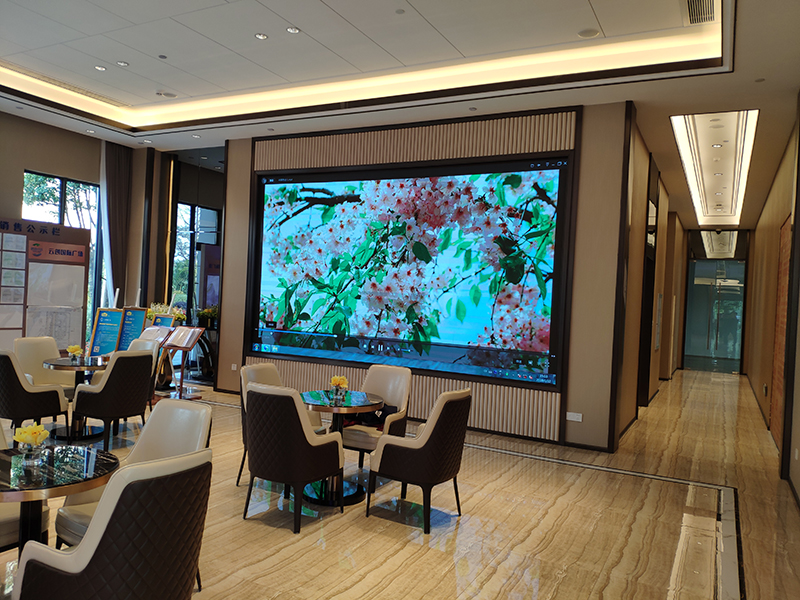
Abstract: LED electronic displays are widely used in many places, such as bars, real estate companies, schools, airports, high-speed rail stations, schools, hospitals, etc. The LED electronic display screen can display various patterns, text, and videos in a variety of ways, so it was once loved by the majority of users.
LED electronic displays are widely used in many places, such as bars, real estate companies, schools, airports, high-speed rail stations, schools, hospitals, etc. The LED electronic display screen can display various patterns, text, and videos in a variety of ways, so it was once loved by the majority of users. So electronic products will definitely have some minor faults after being used for a long time. What should be done if the LED electronic display fails? The general solution to the problem of LED electronic display screen has the following five points. Please read below.
1. What is the reason why it cannot be loaded or communicated?
The reasons for communication failure and loading failure are roughly the same. They may be caused by the following reasons. Please compare the listed items and operations.
1. Ensure that the control system hardware has been powered on correctly. (+5V)
2. Check and confirm that the serial port cable used to connect the controller is a straight-through cable, not a crossover cable.
3. Check and confirm that the serial port cable is intact and that both ends are not loose or falling off.
4. Compare the LED electronic display screen control software and the control card you choose to select the correct product model, the correct transmission method, the correct serial port number, the correct serial transmission rate and the correct DIP switch diagram provided in the software. Set the address bits and serial transfer rate on the control system hardware.
5. Check whether the jumper cap is loose or fallen off; if the jumper cap is not loose, make sure the jumper cap is in the correct direction.
6. If you still cannot load after the above inspections and corrections, please use a multimeter to measure whether the serial port of the connected computer or control system hardware is damaged to confirm whether it should be returned to the computer manufacturer or the control system hardware should be returned. Return body for testing.
2. Why does the LED electronic display screen appear bright lines for a few seconds or the screen becomes blurry when it is first powered on?
After the screen controller is properly connected to the computer, HUB distribution board and screen, you need to provide +5V power to the controller to make it work properly (at this time, do not connect it directly to 220V voltage). When the power is turned on, a bright line or "blurred screen" will appear on the screen for a few seconds. This bright line or "blurred screen" is a normal test phenomenon, reminding the user that the screen is about to start working normally. Within 2 seconds, this phenomenon will automatically disappear and the screen will return to normal.
working status.
3. What does automatic or manual brightness adjustment mean?
Brightness adjustment refers to the adjustment between the darkest and brightest the screen can display, rather than light sensitivity adjustment. Automatic brightness adjustment is based on the different brightness that should appear in different time periods and the Yikuo LED electronic display screen control system automatically adjusts to a certain predetermined brightness. Manual brightness adjustment refers to the end user operating the LED electronic display screen control system to allow the LED electronic display screen to reach a certain specified brightness.
4. The reason why the whole screen of the unit board is not bright or dim
1. Visually check whether the power connection cable, the 26P cable between the unit boards and the power module indicator light are normal.
2. Use a multimeter to measure whether the unit board has normal voltage, and then measure whether the voltage output of the power module is normal. If not, the power module is judged to be bad.
3. Measure the low voltage of the power module and adjust the fine adjustment (the fine adjustment of the power module near the indicator light) to make the voltage reach the standard.
5. What is the reason why the LED electronic display screen is completely black?
In the process of using the control system, we occasionally encounter the phenomenon that the LED electronic display screen appears completely black. The same phenomenon may be caused by various different reasons, and even the process of the screen turning black may vary depending on different operations or different environments. For example, it may turn black as soon as it is powered on, it may turn black during the loading process, it may turn black after sending is completed, etc.:
1. Please ensure that all hardware including the control system has been powered on correctly. (+5V, do not connect it reversely or wrongly)
2. Check and confirm again whether the serial port cable used to connect the controller is loose or fallen off. (If it turns black during the loading process, it is probably due to this reason, that is, the communication line is interrupted due to looseness during the communication process, so the screen turns black. Do not think that the screen body is not moving, and the line cannot be loose. Please check it yourself, it is important if you want to solve the problem quickly.)
3. Check and confirm whether the LED electronic display screen and the HUB distribution board connected to the main control card are tightly connected and whether they are plugged in backwards.
Summary: The above total solution for LED electronic display failure is provided by Shenzhen Xinshian Information Technology Co., Ltd. If you want to know more, please log on to our official website to view more.